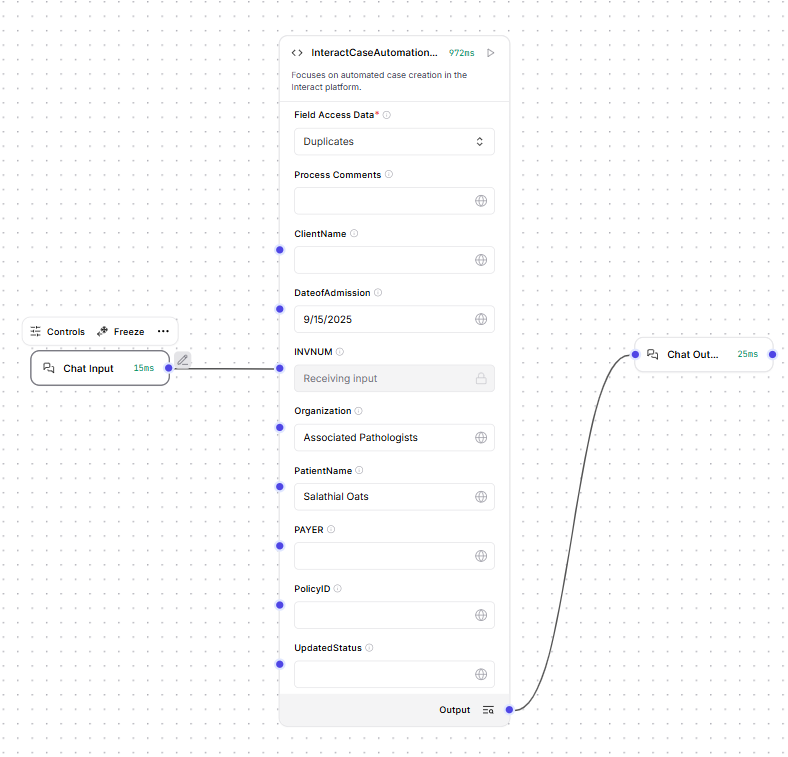
Interact Case Automation
This component allows automated creation of cases on the Robility Interact platform within a selected queue.
User Requirements
The user connected with Robility Flow must have access permissions for the queues where cases will be created.
Component Parameters
Field Access Data: Provides a list of available queues for case creation. Selecting a queue displays the corresponding fields, allowing input data to be provided for automated case creation.
Delay Before: Specifies the time (in milliseconds) to wait before executing the activity or component.
Delay After: Specifies the time (in milliseconds) to wait after completing the activity or component execution.
Continue on Error: Determines whether the workflow should proceed if the current activity encounters an error.
Stop Workflow – Immediately halts the workflow execution when an error occurs.
Continue – Skips the failed activity and proceeds with the next step in the workflow.
Continue Using Error Output – Allows the workflow to continue while capturing the error details as part of the output. This mode enables advanced handling scenarios where the error message or code is required for downstream actions, logging, or conditional flows.
Retry: Specifies the number of times the system should automatically retry the activity if it fails during execution.
Output: Returns the URN and BATCH ID of the case created on the Robility Interact platform.