Loop
The Loop component iterates over a list of inputs by passing individual items to other components connected to the Item output port until there are no items left to process. After all items are processed, the Loop component passes the aggregated results to the component connected to the Done port.
The looping process
The Loop component works like a mini-flow within your flow. The looping process works as follows:
1. Accepts a list of JSON or Table objects, such as data from a CSV file, through the Inputs port.
2. Splits the input into individual items. For example, a CSV file is split into individual rows.
3. Iterates over each item by passing it through the Item output port.
The Item port connects to one or more components that process each item. The final component in the processing chain connects back to the Looping port of the Loop component to process the next item.
Only one component can connect directly to the Item port, but the data can pass through multiple components before the final component connects back to the Looping port.
4. After all items are processed, the results are aggregated into a single output and passed through the Done port to the next component in the flow.
The following simplified Python code illustrates how the Loop component works. This is not the actual component code; it is only intended to explain the general looping process.
for i in input:             # Receive input data as a list
    process_item(i)         # Process each item through connected components

    if has_more_items():
        continue             # Process the next item
    else:
        break                # Exit when no items remain

done = aggregate_results()   # Combine all processed items

print(done)                 # Send the aggregated results through the Done port
Loop example
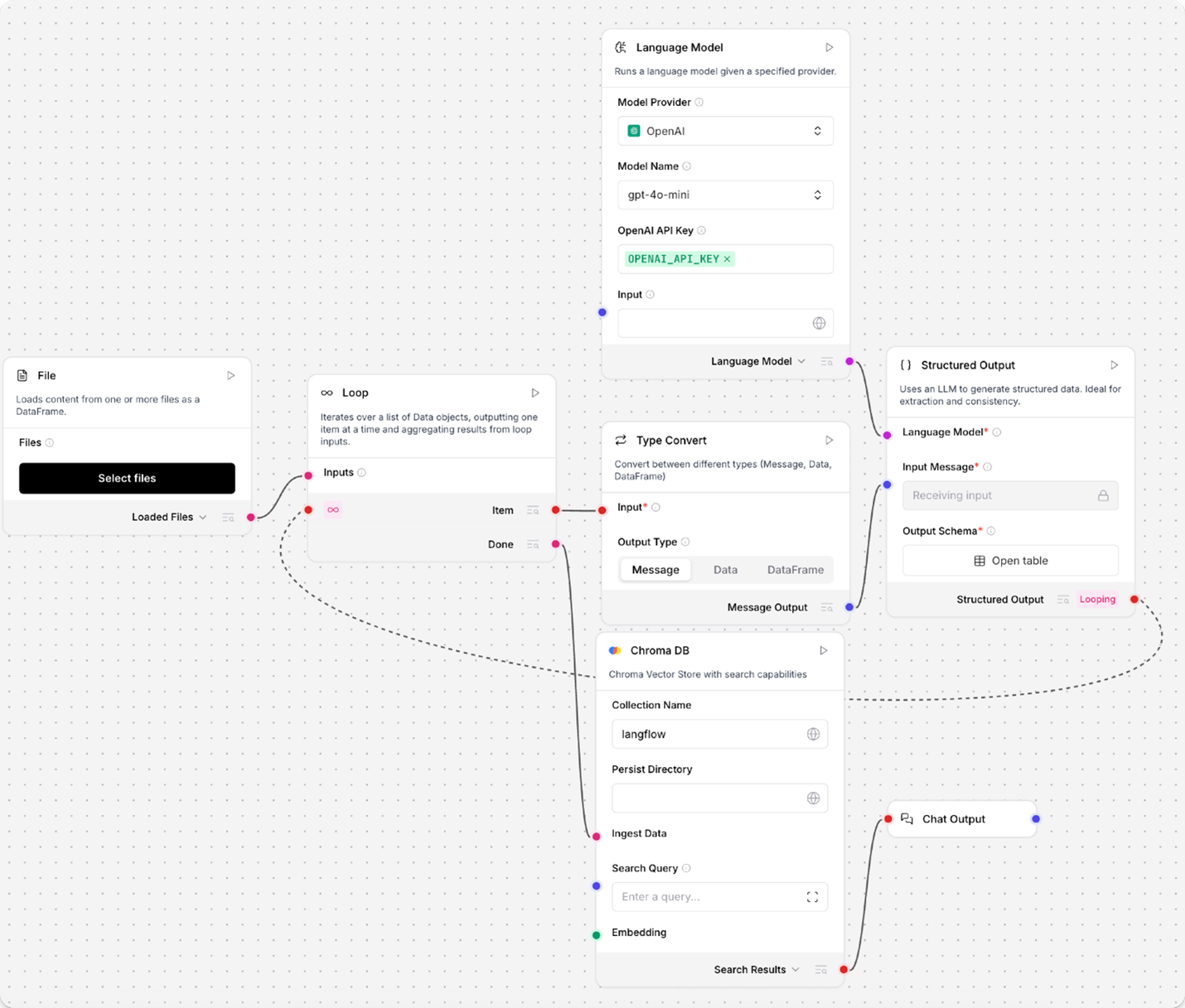
In the following example, the Loop component iterates over a CSV file until all rows are processed.
The Item port passes each row to a Type Convert component, which converts the row into a Message object. The Message is then passed to a Structured Output component for processing into structured data. The processed data is passed back to the Loop component through the Looping port.
After all rows have been processed, the Loop component sends the aggregated list of structured data through the Done port to a Chroma DB component for storage.
Conditional Looping
The If-Else component is not compatible with the Loop component. If your workflow requires conditional loop logic, you must redesign your flow to process conditions before entering the loop.
Strategy & Alternatives
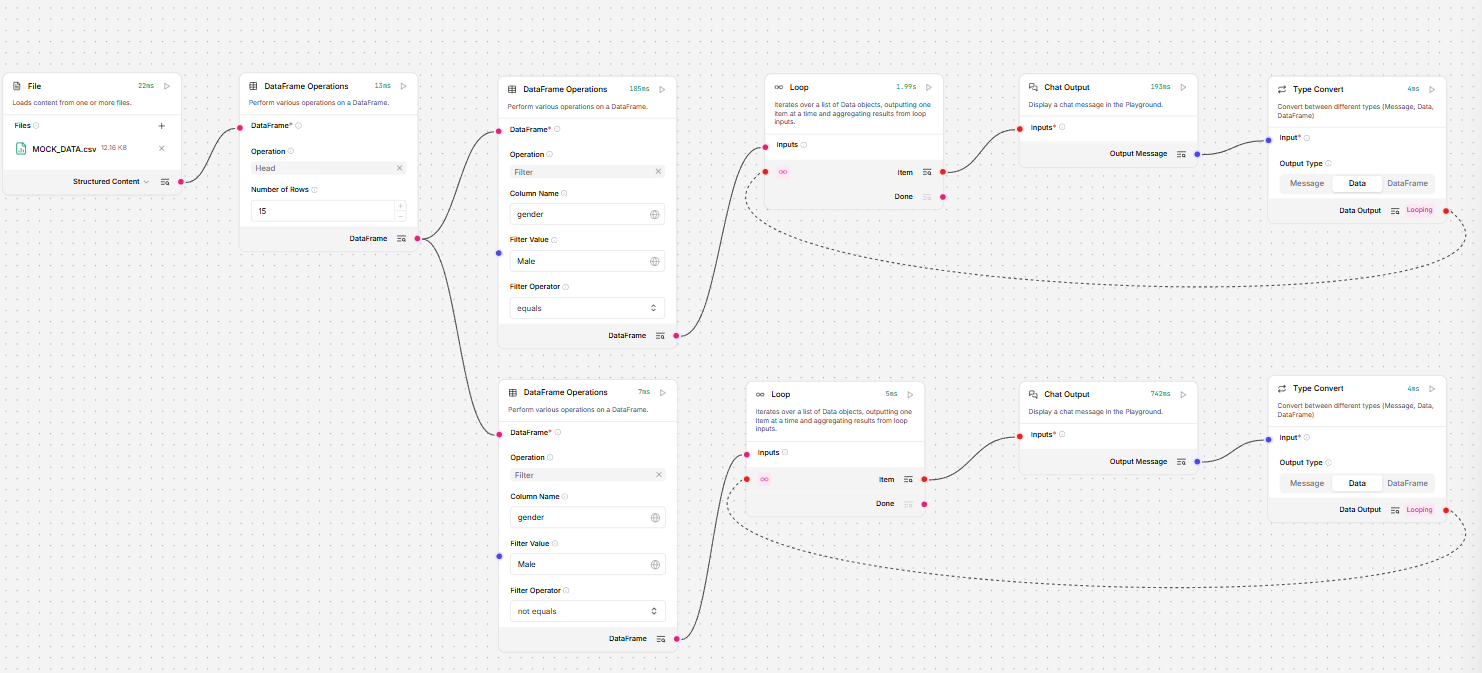
Instead of placing conditions directly inside a loop, filter your datasets upfront:
Filter First: If you are processing a table or dataset, use components like Data Operations to conditionally filter and separate your data into subsets prior to looping.
Run Separate Loops: Pass each filtered subset through its own dedicated Loop component to process the items according to their respective conditions.